FDTool Pro Clean Information Credits
Overview

Digital product. No refunds, no returns.
The order will be processed within 1 hour during business hours, starting from the moment we receive your full payment. (learn more) and all the required information. We will send the beginner instructions to your email. FAQ
Depending on the chosen payment option, your payment may take some time to reach us.
Approx. processing time:
PayPal ~ 10 min
Visa/Mastercard WorldPay ~ 60 min
EBANX (online method) ~ 60 min
Description
FDTool Pro Clean – Information Credits is a credit-based online tool for removing malware and ads from Android via ADB.
Cost of 1 operation - 1 credit.
Advantages
- No installation required – 100% online.
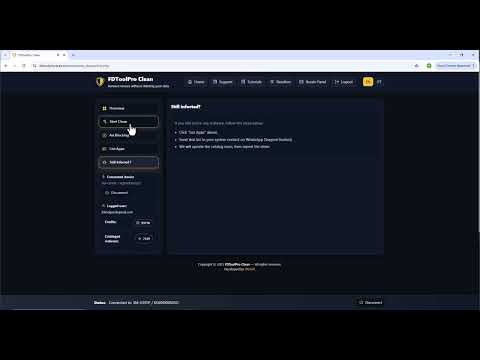
- Just enable USB debugging, connect your Android device, and click Start Clean.
- Everything is automatic – fast, safe, and reliable.
- Works on most Android phones and tablets.
- You don`t need to delete your photos, videos or any other files.
- Supported OS: Windows, Linux, and Mac
Features
- Safe Malware Removal
Detects and removes malicious apps without wiping user data. - Smart Ad Blocking
Disables ads and trackers across apps and browsers via ADB commands.
How to use
- First, create an account on the FDTool Pro Clean website using your email.
- Next, purchase credits here to top up your account. Indicate the email you are using for this tool.
- Once you have credits on your balance, you can start servicing phones. Watch the video tutorial below for step-by-step guidance.

If malicious apps are still detected after cleaning
- Click the “Support” button to send the app list.
- The FDTool Pro team will update the malware database, and then you will be able to repeat the cleaning within the 24-hour window to ensure all threats are fully removed.
*The developer provides support only for those phones which are on the list of supported. Not all servicing features can be applied to some supported models, due to differences of hardware/software versions. You can find a complete list of supported models on the official product page or the GSM forum.
Detailed information on the further use of the digital product will be sent to your email, specified during registration, when we confirm your payment and process your order.
Instructions
How to use
- First, create an account on the FDTool Pro Clean website using your email.
- Next, purchase credits here to top up your account. Indicate the email you are using for this tool.
- Once you have credits on your balance, you can start servicing phones. Watch the video tutorial below for step-by-step guidance.
If malicious apps are still detected after cleaning
- Click the “Support” button to send the app list.
- The FDTool Pro team will update the malware database, and then you will be able to repeat the cleaning within the 24-hour window to ensure all threats are fully removed.
Specifications
| Credit is compatible with the following models of Activations |
|
Video
